
Common questions
about Greazy.
What a companion remembers, who can read your conversations, how far a deletion goes, what the free plan includes, and how to cancel.

What Greazy is
What is Greazy?
An AI companion you keep one conversation with. You pick a character or write one, and there is a single thread with them that stays open — it carries on from where it stopped, rather than starting over every time you come back.
Is this just another AI chat?
The difference is the second conversation. Most AI chat is a session: you explain who you are, you get an answer, the window closes, and next time you explain yourself again. Here there is no new chat button, because there is nothing to start. The thread you had in March is the thread you are in now.
Is there a person behind it?
No. Every companion is a character — text somebody wrote, answered by a model. Nobody is typing on the other side.
What can a companion be?
You write who a companion is, and people write all sorts: a friend who remembers, someone who listens, a helper at work, an adviser, someone to get the day straight with.
What is Greazy not?
It is not a therapist, a doctor or a crisis line. If you need one of those, please use one — a companion that listens is not a substitute for someone qualified. It also does not keep your calendar, set reminders or run your week. People use it to think out loud, which is a use rather than a feature.
What can I make besides conversation?
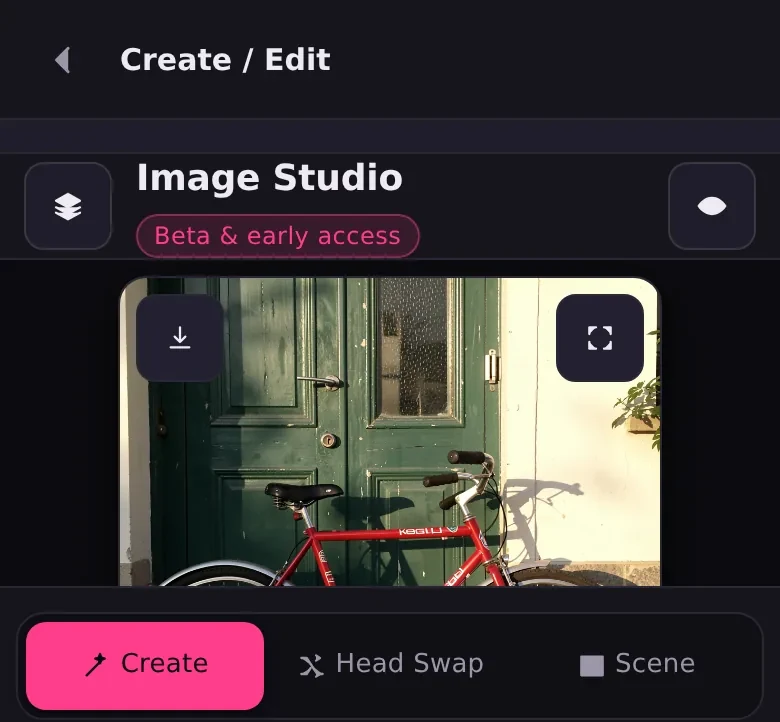
Four tools, on the same account and the same credits. Describe a picture and it is made for you, or hand one over and it is edited. Put a different face into a video or a photo. Replace a whole head, hair included. Replace the whole person. Or hand over one still photograph and a clip, and the photograph moves the way the clip does.
The picture and video tools
What is the difference between face swap, head swap and character swap?
How much of the picture changes. Face swap replaces the face and leaves the hair, the head shape and everything else. Head swap replaces the whole head — hair, hairline, jaw — and keeps the body, the clothes and the room. Character swap replaces the entire person, and only the room, the light and the movement stay as they were.
Do they work on video, or only photos?
Both. Face swap runs on video, GIFs and photos. Head swap and character swap take a video or a single photo. Whatever you put in, the framing, the lighting and the motion come back untouched — the point is that only the person changes.
Can I swap more than one person in the same shot?
Yes, on face swap. It finds every face in the frame, shows you each one, and you decide which face goes where. Leave a person out and they stay exactly as they were.
What does Animate do?
It takes one still photograph and a short video, and makes the photograph move the way the video does. The video is only there to lend the movement; nothing from it appears in the result.
Can I see what it will look like before spending credits?
Yes, and it is worth the thirty seconds. The swap tools render a single frame first, so you can look at the hairline and the edges before committing to a whole clip. If the frame is wrong, the render would have been wrong too.
What makes a good reference picture?
One sharp photograph, evenly lit, with nothing crossing the face, and — this is the one people skip — in roughly the pose of the first frame of your video. A reference shot from the front, matched against footage filmed from behind, is the single most common reason a result disappoints.
Making pictures
Can I make a picture without uploading anything?
Yes. Describe what you want and it is written from the sentence alone. That is the studio with nothing added to it — no photograph, no reference, just the words.
How do I change part of a photo I already have?
Add the picture, paint over the part you want different, and say what it should be instead. Outside what you painted, the picture comes back exactly as you supplied it. Paint nothing and it edits the whole frame; add several pictures and it composes them together.
Is there a head swap for photographs, not video?
Yes, and it is a mode of the picture studio rather than the video tool. Two pictures: the one you keep, which holds the body, the clothing, the pose and the background, and the one the head comes from. There is nothing to write — that mode has no prompt.
Can I put the same person somewhere else?
That is what the scene mode is for. Give it a portrait and describe where they should be, and the person stays recognisably themselves while everything around them changes.
Where do the pictures I make end up?
In your gallery, on the same account, alongside everything else you have made. They are private to you like the rest of it — nothing is published and nothing is shown to anybody else.
Memory
Does it really remember what I told it?
Yes, and that is the whole product. You mention your sister in March; in June you say she is moving, and they already know who you mean. They do not announce that they remembered and they do not read the file back to you. They just do not need to be told twice.
Does each companion remember separately?
Yes. Memory belongs to the companion you are talking to, not to one pool the whole product reads from. Tell one of them about work and the others do not know. It is a smaller design than a single shared profile, and it is the right one: a companion who knows something you never told them is a companion you stop trusting.
Can I turn memory off?
Yes, for anyone you would rather kept no notes on. The switch is in the friend editor, alongside the rest of what they are, and it is per companion rather than for the whole account.
Can I read or edit what a companion has remembered?
Not yet, and we would rather say so than describe a screen that is not there. The switch that stops a companion keeping notes exists today. A panel to sit and read what one has kept, correct a line and delete another does not — the server can do all three, the interface cannot.
Your companions
Can they have a voice?
Yes. Each friend gets a voice of their own, chosen from a set of them, and it is theirs — two friends do not have to sound alike.
What is the mood thing?
Every companion has a feeling they come back to, and it moves with the conversation rather than staying put. A good week lifts them; being ignored for a fortnight does not. You can see where they are on their profile, and the same question gets a different answer from someone who is tired.
Can I make my own companion?
Yes. Start from nothing and write someone: who they are, how they talk, what they never do, what they should know about you, which language they answer in, and a colour so you can find them in a list.
Can I change one after I have started talking to them?
Yes, at any point. The editor is the same one you would have used to write them from scratch, and the conversation you have already had stays where it is.
What languages does it speak?
Six: English, French, Spanish, German, Simplified Chinese and Japanese. The interface speaks all six, and each companion answers in whichever you choose for them — so one of them can be the friend you write to in French while the rest stay in English.
Conversations, privacy and deletion
Are my conversations private? Who can read them?
They are private to your account. Every read and every write is filtered on the owner, and memory is scoped tighter still — to the companion rather than to the account. Greazy does not publish anything you say.
Can I delete everything?
Yes, and you choose how far it goes. Clear what is on your screen and they still remember every word. Empty the gallery. Make them forget everything and keep them. Both at once. Or delete them completely, and they go back to the shelf as someone you have never met. Those are five buttons in the app, not a support request.
What happens to a companion I delete?
They go back to being a character you have never met. The thread, what they knew about you and anything shared between you goes with them.
Something of mine is on Greazy and should not be.
Tell us and it is actioned. A removal request goes to a person rather than to a form that files itself.
Plans, credits and billing
Is it free? Do I need a card?
There is a free plan, and memory is on it. It takes no card to start — card payments are not switched on yet. The paid plans below are listed in US dollars a month.
How do credits work?
Two allowances. Token credits pay for the chat and refill every two hours, so a heavy afternoon does not cost you the rest of the month. Golden credits pay for pictures and refill monthly, with a daily bonus. Whatever is unspent when a refill lands is replaced rather than added to. Top-up packs are only touched once the allowance is spent, and do not expire.
How do I cancel?
From your account, at any time. Cancelling stops the next charge. Plans are billed monthly in US dollars and renew until you do.
What a plan costs
Four plans and two allowances. Token credits pay for the conversation and refill every two hours; golden credits pay for pictures and refill monthly. The free plan needs no card.
Free
- 150 token credits every two hours
- 20 golden credits a month
- 10 more golden free daily
- Memory, six languages, every companion you write
Friend
- 750 token credits every two hours
- 500 golden credits a month
- 20 more golden free daily
- Memory, six languages, every companion you write
Closer
- 2,000 token credits every two hours
- 3,000 golden credits a month
- 30 more golden free daily
- Memory, six languages, every companion you write
Always
- 4,500 token credits every two hours
- 9,000 golden credits a month
- 100 more golden free daily
- Memory, six languages, every companion you write
An unspent allowance is replaced at the refill rather than added to. Top-up packs sit underneath the plan, are only touched once the allowance is spent, and do not expire.