
AI video generator
with sound.
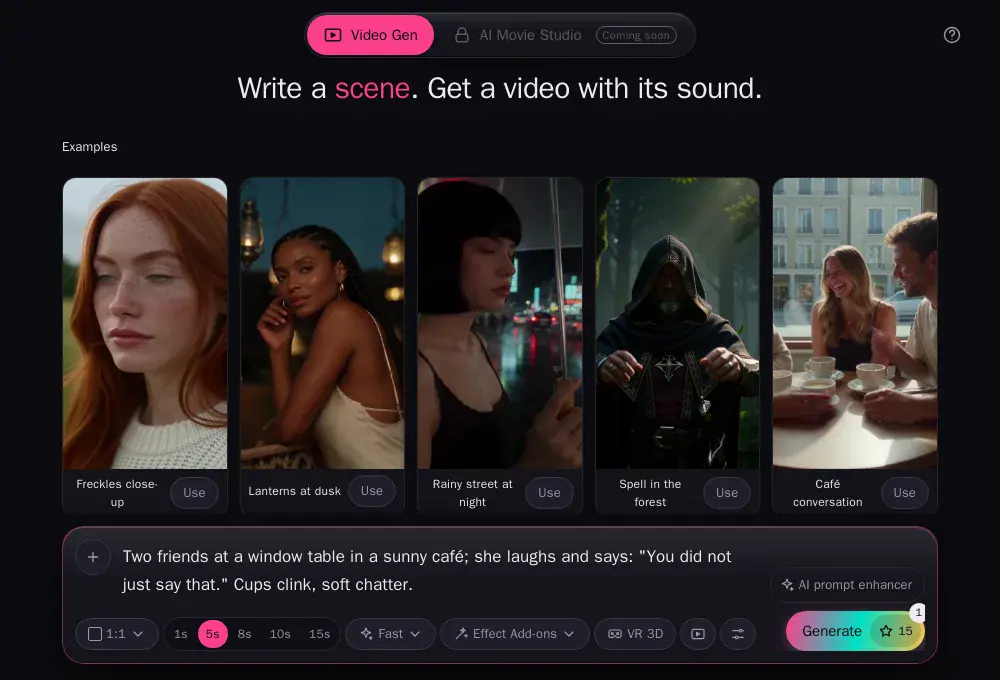
Write a scene and get the video with voices, effects and music. Start from text, a photo, a clip or a voice, or set the first and last frame.
AI videos made from one sentence
Every way to make an AI video
Text to video, image to video, video to video and audio to video, all with sound, in one studio.
Text to video with sound
Write who is there, what happens and what they say. You get voices, sound effects and music with the picture. Put a line in quotes and the character says it.
Image to video
Start from one photo and say what happens. Mark it First frame and the video opens on your exact picture.
Reference to video
Add up to 4 pictures: a person, an outfit, a place or an object. Name them in your text, like "the woman in @P1 wears the jacket from @P2", and they stay the same in the video.
Video to video
Add up to 3 clips and say what each one gives: the movement, the camera, the look or the voice. Keep the motion of your clip and change who is in it, the place or the style.
Audio to video
Add a voice or a song as @A1 and say what it is for: her voice, the music, the song he sings.
First and last frame to video
Pick the picture the video starts on, the one it ends on, or both. It makes the shot in between, with sound.
All of it in one video
Words, pictures, clips, a voice and a first or last frame, together. Each one has its own tag, so nothing gets mixed up.
The AI video studio
Type, add what it should keep, press Generate. It works the same on your phone.
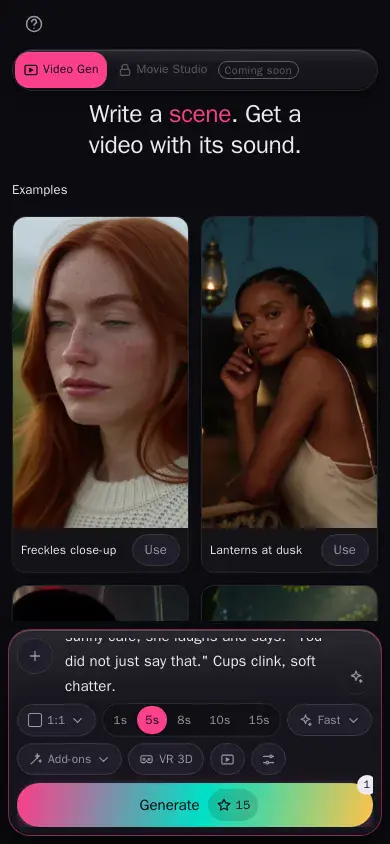
Give it pictures, clips and sound
Tag them in your text so it knows which is which.
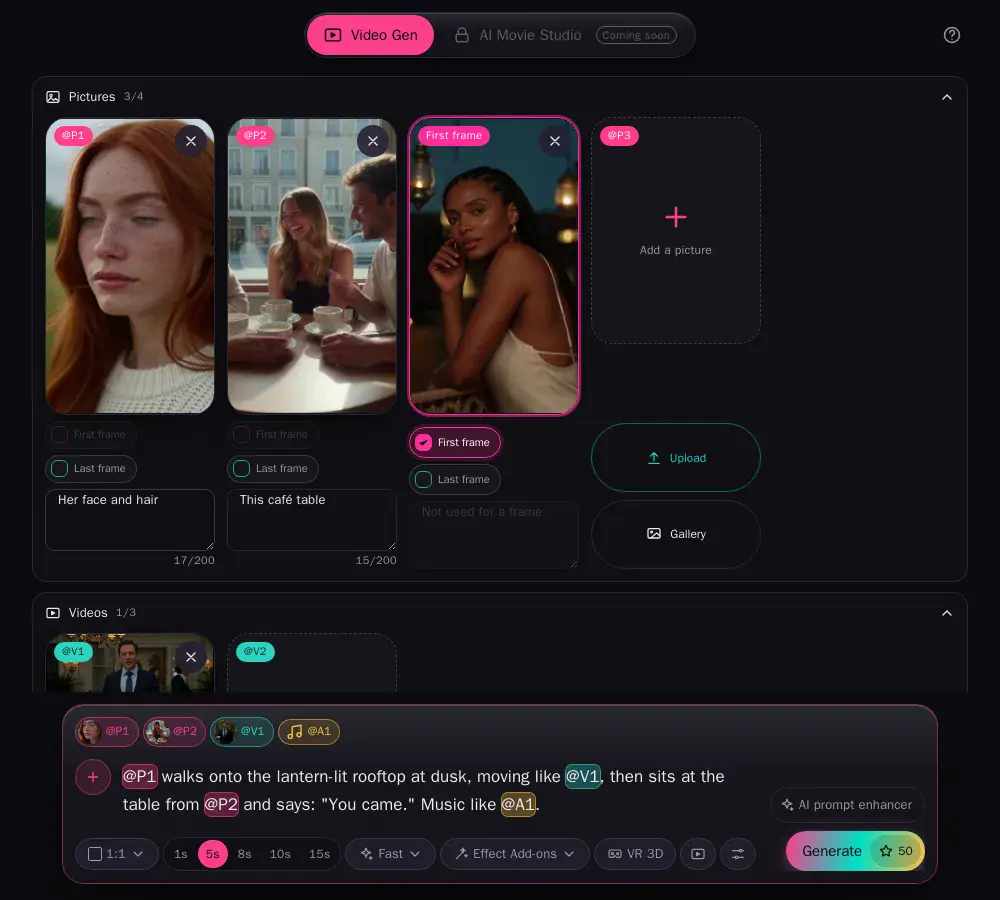
@P1 @P2, with a note each. Tick First frame to start the video on that exact picture.
@V1 for the movement, a sound as @A1 for the music or voice.AI video editing with a prompt
Already have a clip? Add it and say what to change. It keeps the movement and the camera of your video and changes the rest: a new person from your photo, a new place, a new style.
Try: "The man from @V1 walks down the street in @P1, in anime style."
Camera, style, shape and length
Camera moves
Zoom, dolly, pan, tilt, tracking, crane, orbit or handheld. Or a still camera, or let it choose.
Any style
Photoreal, 3D, cinematic, anime or clay. Say it in your words.
Vertical or wide
9:16 for TikTok, Reels and Shorts, 16:9 for YouTube, or square, 4:3 and 3:4.
5 to 15 seconds
5, 8, 10 or 15 seconds, after a 1-second test if you want one. Sharper 1080p on Always.
AI prompt enhancer
Turns a few words into a full, detailed scene before the video is made.
A 3D copy for VR
Turn on VR 3D and you also get a copy to watch on your headset.
How to make an AI video, step by step
1 · Write it
Who, what happens, what they say.
2 · Add to it
Pictures, clips, audio, a first or last frame.
3 · Test, then make it
A 1-second test first. The full video starts from it.
AI Movie Studio
Longer stories, scene after scene, with the same characters.
Price per second
At 480p. A bigger size multiplies the price: 576p ×1.25, 768p ×1.5 (Closer and up), 1080p ×2 (Always).
Free
- Fast3 golden / sec
- 1-second videos, one picture
- 20 golden credits a month
Friend
- Fast3 golden / sec
- Medium4 golden / sec
- Up to 10 seconds, 576p
- 500 golden credits a month
Closer
- Fast3 golden / sec
- Medium4 golden / sec
- High5 golden / sec
- Up to 15 seconds, 768p
- 3,000 golden credits a month
Always
- Fast3 golden / sec
- Medium4 golden / sec
- High5 golden / sec
- Up to 15 seconds, 1080p
- 9,000 golden credits a month
Questions about the AI video generator
What is an AI video generator?
You describe a scene, or give it a photo, a clip or a voice, and it makes the video: the people, the camera and the sound.
Does the video have sound?
Yes. Voices, effects and music come with it. Put a line in quotes and the character says it.
Can I make a video from a photo?
Yes. Add a picture and say what happens. Mark it First frame to start the video on that exact picture, or use it as a reference so the person stays the same.
Can it edit a video I already have?
Yes. Add your clip as @V1 and say what to keep and what to change. It can keep the movement and the camera, and change the person, the place or the style. AI video editor
Can I use my own voice or a song?
Yes. Add one audio clip as @A1 and say what it is for, like "her voice" or "the song she sings".
What is a first and last frame video?
You give the picture the video starts on and the one it ends on, and it makes the shot in between. You can also give only a first frame or only a last frame.
Can I make vertical videos for TikTok, Reels and Shorts?
Yes. Pick 9:16 for vertical, 16:9 for YouTube, or square, 4:3 or 3:4.
How long can a video be?
1, 5, 8, 10 or 15 seconds. The 1-second video is a quick test before the full one. 15 seconds comes with Closer and Always.
Is there a free plan?
Yes. The Free plan makes 1-second test videos on Fast, from your words or one picture, with no card. Full videos start on Friend.
Can I watch it in 3D?
Yes. Turn on VR 3D and you also get a copy for your headset. VR Studio
What does it cost?
Per second of video at 480p: 3 golden credits on Fast, 4 on Medium, 5 on High. A bigger size multiplies it: 576p ×1.25, 768p ×1.5 (Closer and up), 1080p ×2 (Always).