
Edit any video with AI.
Swap who is in it. Change what is in it.
The AI video editor that keeps your shot: swap characters, change the scene, edit the details. The motion, the camera and the sound stay yours.
Same scene, someone new
One picture of the new character. Every move stays where it was.
Two modes. Your video stays intact.
Both keep the original video exactly as it was: every move, the camera, the timing and the sound. Only what you ask for changes.
Video edit
Change the scene, keep the shot. Day into night, summer into snow, a new outfit, a new colour, an object added or gone. Everything you did not touch stays frame for frame.
Character swap
Put someone else in the scene: a person, a cartoon, a mascot. They do exactly what the original did, at the same moment. The place, the other people and the sound stay.
The studio
Your video on a timeline, cut into parts. Pick a part, show the change, press Process. Same on your phone.
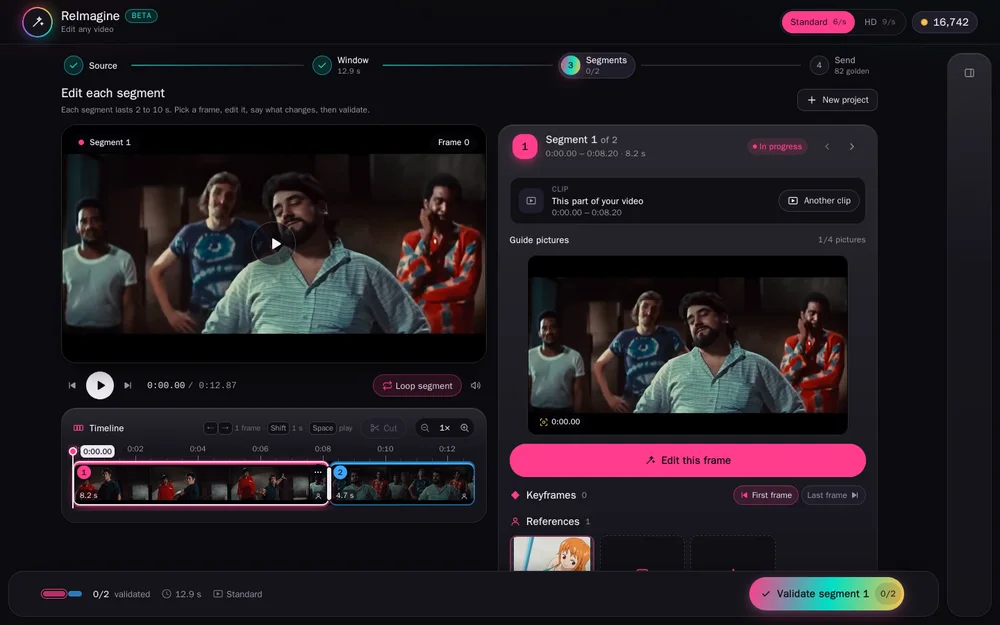
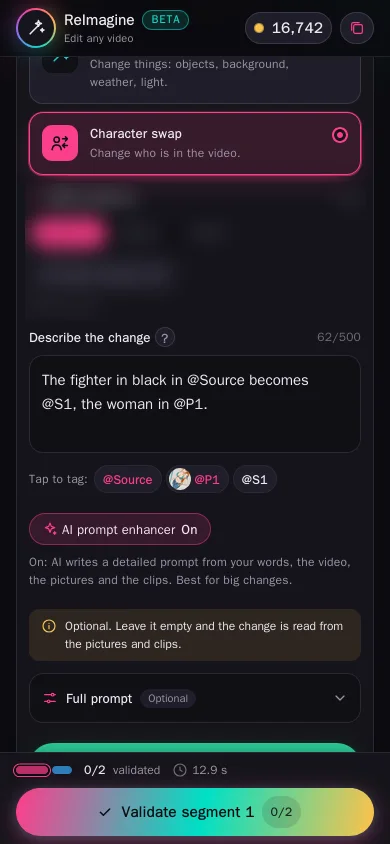
Show the change your way
Three ways, for each part of the video. Use the one that fits the change.
Edit frames
Change a frame or two in the image editor. The video follows them: at each edited frame it looks exactly like your edit. Best for precise changes.
References and a prompt
Add pictures or short clips of how someone or something should look, and say what changes in a few words (or leave it empty). Best for swapping a character.
Both
Pin key moments with edited frames and add references for the look. The closest result, for the hardest changes.
Pick any frame. Edit it right there.
An image editor is built in, so you can show the change on the video itself, frame by frame.
1 · Pick a frame
Scrub to any moment of a part, or jump to its first or last frame.
2 · Edit it
Tap Edit this frame and the image editor opens with it: change the outfit, the background, swap the head or the whole character. Use the picture when it looks right.
3 · It becomes a keyframe
At that moment the video looks exactly like your edited frame, and the change carries through the rest of the part. Not right yet? Edit the keyframe again in the editor, or swap it for a photo from your gallery.
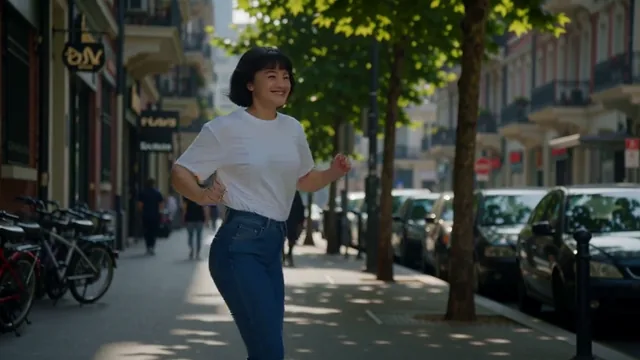
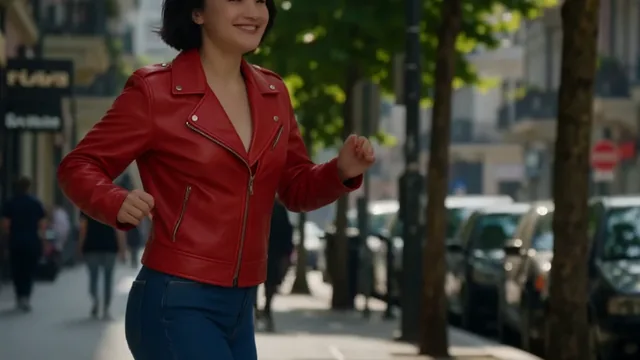
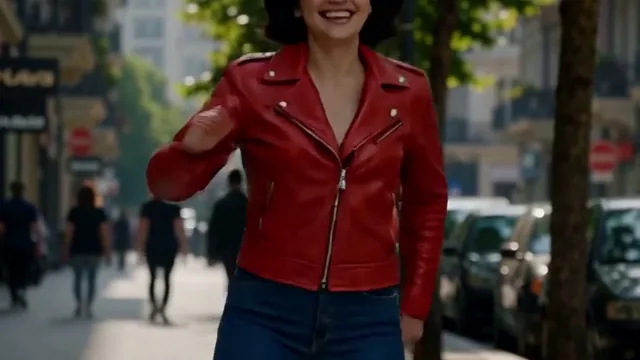
The same editor makes your reference pictures: Create a picture opens it empty, so you can describe someone in words or upload a photo, then use it as a reference.
The whole video comes back
Every part rendered and joined again, with the original sound. Watch it, switch to the original, download it.
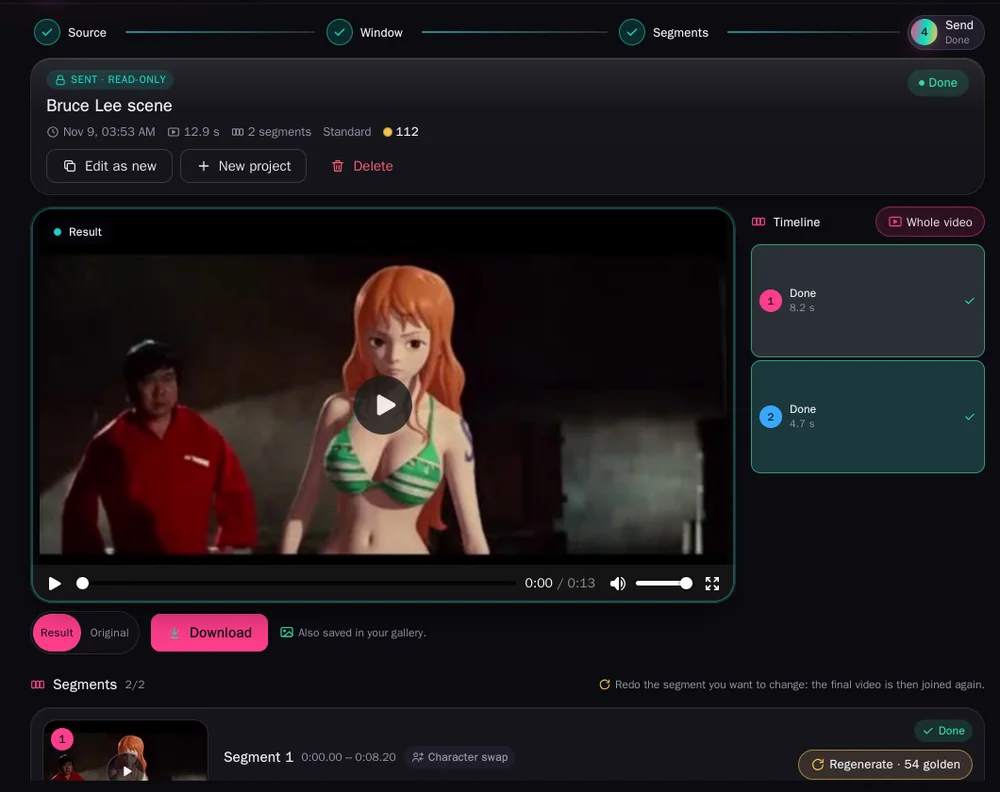
Show it what to change
Up to four pictures and two short clips per part. Tag them in your words so it knows which is which.

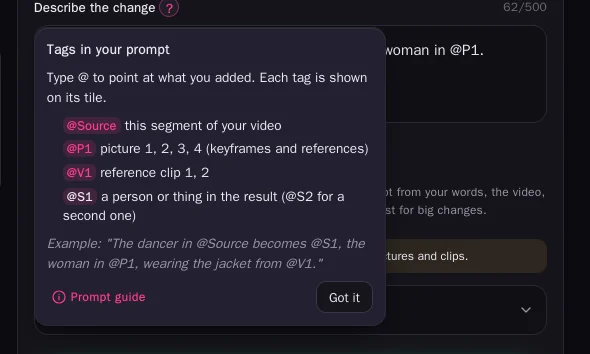
@P1 @P2, clips @V1, the part itself @Source. Type @ and pick one.Cut where you want. Keep every version.
Split a part at the playhead, down to 2 seconds. Change it again as often as you like: every result stays, and you choose the one the video uses.
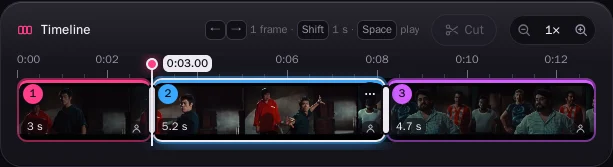

1 · Upload
Any video. Edit up to 30 seconds, 1 minute or 5 minutes of it, by plan.
2 · Show the change
Cut it where you want. For each part: a picture, a clip, a few words. Or leave it as it is.
3 · Process
One part to try, or all of them. Change any part again and keep the version you like. The video comes back whole, with its sound.

A few words are enough
Turn the enhancer on and AI looks at your video, pictures and clips, then writes the detailed description for you. Best for big changes and busy scenes.
Price per second
6 golden credits a second on Fast, 9 on Very slow. You only pay for the parts you process.
Free
- Not included
- 20 golden credits a month
Friend
- Fast6 golden / sec
- Very slow9 golden / sec
- Edit up to 30 s at a time
- Videos up to 200 MB
- 500 golden credits a month
Closer
- Fast6 golden / sec
- Very slow9 golden / sec
- Edit up to 1 minute at a time
- Videos up to 500 MB
- 3,000 golden credits a month
Always
- Fast6 golden / sec
- Very slow9 golden / sec
- Edit up to 5 minutes at a time
- Videos up to 1 GB
- 9,000 golden credits a month
Questions about editing video with AI
What is an AI video editor?
You upload a video and say what to change, with a picture, a short clip or a few words. AI repaints the video with the change and keeps everything else: the motion, the camera, the timing and the sound.
What can I change in a video?
Who is in it, what they wear, the place, the weather, the time of day, objects. Anything you can show in a picture.
Does it keep the motion and the sound?
Yes. Every move, the camera and the timing come from your video, and its sound is kept.
How long can the video be?
Up to 30 seconds on Friend, 1 minute on Closer and 5 minutes on Always. It is cut into parts for you, and you can cut any part where you want, down to 2 seconds.
What is the difference between Video edit and Character swap?
Video edit changes the scene or details: the light, the weather, an outfit, an object. Character swap puts someone else in place of a person. Both keep your original video intact: the motion, the camera, the timing and the sound.
Can I edit a single frame?
Yes. Pick any frame, tap Edit this frame and change it in the built-in image editor. It becomes a keyframe: at that moment the video looks like your edit. You can edit a keyframe again at any time, or replace it with a photo. The same editor also creates your reference pictures.
What do I need to swap a character?
One picture of the new character is enough. A character sheet, a short clip of them, or a few pictures from different sides gives a closer match.
Can I change a part again?
Yes, as often as you like, even before the other parts are done. Edit builds on the last result; Regenerate makes a new one from the same settings.
Can I go back to an earlier version?
Yes. Every result of a part is kept as a version. Pick any of them and the video is joined again with it, for free.
Do I edit frames or add references?
Either, or both. Edited frames pin exactly how chosen moments look; references and a prompt show the look and say what changes. Together they give the closest result.
Do I have to write a prompt?
No. Leave it empty and the change is read from your pictures. Write one to be precise, and tag your pictures with @P1, @P2.
Can I change the background of a video?
Yes. Use Video edit and show the new place in an edited frame or a picture: a beach, a city at night, snow. The people and their moves stay.
Does it work on a phone?
Yes. The studio works in the browser on a phone, a tablet or a computer. Nothing to install.
Is there a free plan?
Editing a video is on the paid plans, from Friend. On Free you can open the studio and see how it works.
What does it cost?
Per second of video: 6 golden credits on Fast, 9 on Very slow. A reference clip adds 20 (30 on Very slow). Joining the whole video again: 2 per part.